Drivvo - Car Expense Tracker
DrivvoAuto & Vehicles
4.41.64K Reviews
- Version
- 10.1
- Installs
- 5.00M
- Age Rating
- Everyone
Screenshots
Our Review of Drivvo - Car Expense Tracker
 Analysis by Appyee
Keeping a vehicle’s records can become a small job of its own: fuel stops, repairs, recurring bills, and details you only remember when something needs attention. I find Drivvo - Vehicle management most useful as a place to gather that routine information, rather than as an app that makes decisions for me. It is a free vehicle-management app from Drivvo, in the Auto & Vehicles category, and it is aimed at people who want a clearer picture of ownership costs and upkeep.
When a running record is worth the effort
The strongest reason to use a tracker like this is not any one entry; it is being able to look back. If I record each fill-up and service while the details are fresh, I can compare costs over time and have a more useful history when planning the next visit to a mechanic. That works especially well for someone who keeps a car for years, shares responsibility for a vehicle, or wants to understand whether a second vehicle is costing more than expected.
A realistic routine might be to enter a fuel purchase after leaving the station, then add a repair invoice when the car is back home. Later, before booking routine work, I can check the record instead of searching through a glovebox full of receipts or trying to remember the last service. The benefit depends on consistency: a few accurate entries are more useful than a long backlog entered from memory.
Readability and navigation
First things first, downloading Drivvo is a breeze. Available on both Android and iOS, it’s just a few taps away from being your go-to vehicle management tool. Once installed, the app greets you with a clean and intuitive interface. No need for a degree in rocket science here; everything is straightforward and user-friendly.
That approachable layout matters because vehicle records are easy to neglect if every entry feels like a form-filling chore. I would still treat the first setup as a short administrative task: decide which vehicle you are recording, gather the details for your first entries, and settle on categories you will use consistently. A tidy start makes later comparisons more meaningful, especially if you track more than one vehicle.
Tracking Expenses
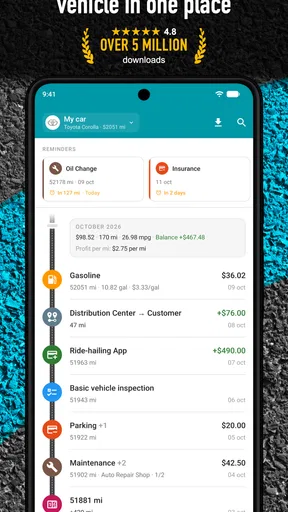
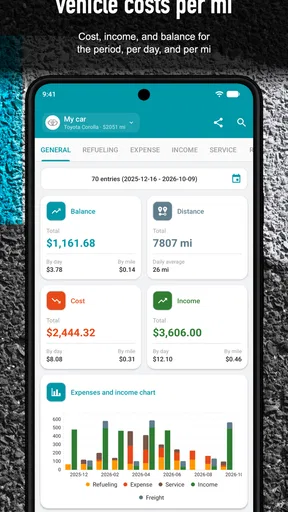
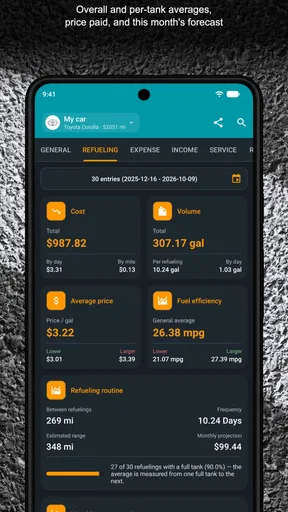
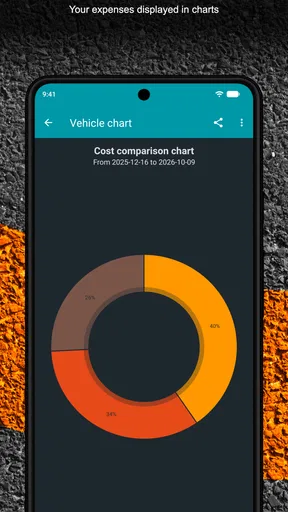
One of the standout features of Drivvo is its expense tracking capability. You can log fuel costs, service expenses, and other fees related to your vehicle. The app allows you to categorize these expenses, making it super easy to see where your money is going. Plus, you can set reminders for recurring expenses, ensuring you never miss a payment or service date.
For a clearer picture, I’d record costs close to when they happen and keep the same kind of expense under the same category each time. That makes a later review more dependable than trying to reconstruct months of spending at once. It is also worth remembering that an expense log reflects what you enter: it can help organize your costs, but it cannot tell you whether a repair quote is fair or replace a mechanic’s advice.
Fuel records and useful comparisons
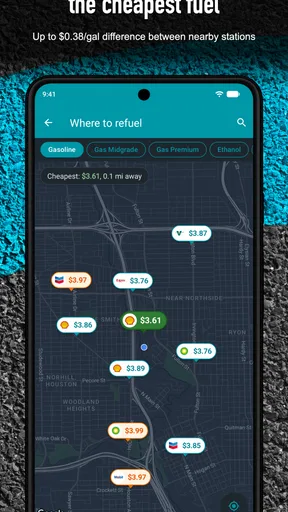
Drivvo doesn’t just stop at tracking expenses. It also helps you monitor your vehicle’s fuel efficiency. By entering your fuel data, the app calculates your consumption rates and offers insights into your driving habits. It’s like having a personal efficiency coach riding shotgun with you!
The practical insight here comes from comparing like with like. If I want to judge whether consumption has changed, I would avoid drawing a conclusion from one unusual trip or one partial fill-up. A longer run of consistent entries is more informative, and a change can have several causes, including route, traffic, load, or driving conditions. The app helps make the record visible; interpreting it still takes common sense.
Maintenance reminders
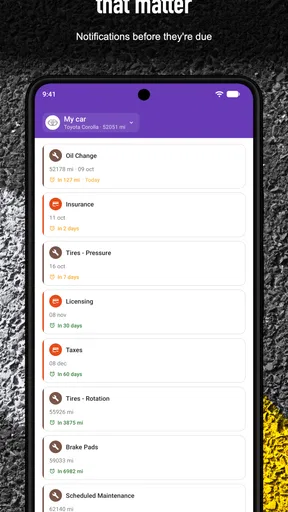
Remembering when to change your oil or check your tires can sometimes slip through the cracks. Drivvo saves the day by offering maintenance reminders. You can schedule alerts for all sorts of vehicle checks, ensuring that your ride stays in top shape without you having to memorize every service date.
I see reminders as a backup for a plan, not a substitute for the maintenance guidance that applies to a specific vehicle. Before adding a schedule, I would check the owner’s manual or the advice from a trusted service professional, then use the reminder to prompt me to act. This avoids the common mistake of treating a generic interval as right for every vehicle and every driving pattern.
Managing more than one vehicle
Got more than one vehicle? No problem! Drivvo lets you manage multiple vehicles under one account. Whether you’re juggling a car and a motorcycle or a fleet of trucks, this app has you covered. You can switch between vehicles with ease, and each one gets its own customized log and statistics.
This can be helpful in a household where one person keeps track of a car and a motorcycle, or for an owner who wants personal and work-related vehicle costs separated. The trade-off is that each vehicle needs its own careful entries. If two people share the logging, it helps to agree on who records a fill-up or repair and how to categorize it; otherwise, gaps and duplicate entries can weaken the history.
Backup, sync, and confidence in your records
Now, I know what you’re thinking: “What if I lose my phone?” Don’t sweat it. Drivvo offers data backup and sync options. You can save your data to the cloud, so it’s accessible across devices. It’s like having a digital vault for all your vehicle info.
Because this information can matter when budgeting or planning service, I would check that the backup approach I use is working and avoid assuming that any record is protected without taking the steps the app requires. For especially important invoices or warranty documents, keeping the original paperwork or a separate copy is sensible. A vehicle log is most useful when it is both easy to consult and not the only place a critical document exists.
Customization and inclusive use
Drivvo really lets you make the app your own. You can customize almost every aspect, from the app’s theme to the currency used for expenses. It’s all about making the app work best for your personal needs and preferences. You’re in the driver’s seat, literally and figuratively.
For different users, the everyday question is whether the screens and entry process feel comfortable on their own device and in their own circumstances. Theme and currency choices can make the experience feel more personal, but they do not remove every possible barrier. Someone who finds small on-screen controls difficult, needs a particular assistive setup, or prefers not to type while away from home should try a few common tasks before committing to a detailed record-keeping habit.
Where it fits among the alternatives
Compared with a notes app, spreadsheet, or folder of receipts, Drivvo’s advantage is having vehicle-related entries organized around ongoing tracking rather than being scattered across unrelated files. A spreadsheet may suit someone who wants total control over formulas and layout; a paper log can be simpler for a person who dislikes phone-based record keeping. Drivvo is the more natural fit if you want vehicle expenses, fuel history, reminders, and multiple vehicle records in one app without building your own system.
It is less compelling if you only need to note an occasional repair, already have a reliable bookkeeping method, or do not want to enter information regularly. Its calculations and summaries can only be as useful as the records behind them, and setting up categories and reminders takes some attention. Those are manageable trade-offs for a steady user, but they may make a dedicated tracking app feel like unnecessary work for someone with very few vehicle expenses.
Who should try it, and who may prefer something else
I would recommend giving Drivvo a try if you own more than one vehicle, want to understand recurring costs, or often forget when upkeep is due. It is also a sensible option for someone preparing a household budget who wants vehicle spending separated from general expenses. The app has an average rating of 4.5 from around 112,000 ratings and has been installed over a million times, so it has a substantial audience, though those figures do not guarantee that its workflow will suit every person.
It is free to start, rated for Everyone, and the current version is 9.1.1; in-app purchases range from about two dollars to four hundred dollars per item. The app first appeared on June 24, 2012, and supports devices running Android 6.0 or later. I would check the purchase details in the relevant store before choosing any paid option, and focus first on whether the free experience covers the routine you actually want to manage.
There is also a situational-access trade-off: entering a purchase at the pump or a service date in a busy workshop may be inconvenient, especially if you are in a hurry or have difficulty interacting with a phone in that setting. I would make the entry when safely parked and keep a receipt until I have confirmed the record is correct. That small habit is more dependable than trying to type while distracted, and it helps keep the history accurate.
A practical vehicle log, not a substitute for judgment
In conclusion, Drivvo - Vehicle management is a fantastic tool for anyone looking to streamline their vehicle management process. It’s packed with features that make staying on top of expenses and maintenance a breeze. If you’re tired of juggling receipts and forgetting service dates, give Drivvo a try. It’s like having a personal assistant for your car, minus the coffee runs.
Ready to take control of your vehicle management? Download Drivvo today and hit the road with confidence!
My more measured recommendation is to use it as a steady log: record costs promptly, make sensible reminders, and review trends only after enough entries have built up. That approach suits the app’s strengths without asking it to judge repairs, guarantee maintenance, or replace a formal accounting system. For a person who values a clearer history and is willing to maintain it, Drivvo can turn scattered vehicle details into something much easier to use.
Verdict
Strengths of Drivvo - Car Expense Tracker
- Intuitive user interface for easy navigation.
- Comprehensive expense tracking features.
- Supports multiple vehicles in one account.
- Customizable reminders for maintenance.
- Data backup via cloud for security.
Limitations of Drivvo - Car Expense Tracker
- Ads in free version can be distracting.
- Limited features without premium upgrade.
- No integration with navigation apps.
- Manual data entry can be time-consuming.
- Occasional syncing issues reported.
Similar Picks in This Category
View All
Android Auto
Google LLC4.1

maxim — order a taxi & food
PT. SITO4.7

Штрафы ГИБДД: проверка с фото
Pays LLC – Штрафы ГИБДД4.7

Номерограм – проверка авто
Авто Ассист4.8

Дром Авто
Дром4.9

Frequently Asked Questions
What features does Drivvo offer for vehicle management?
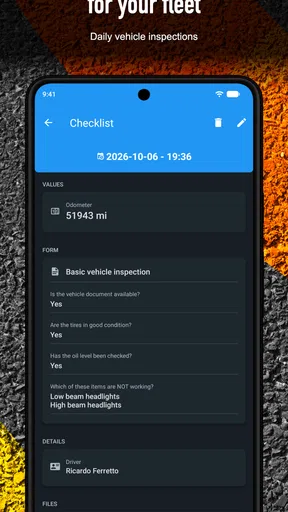
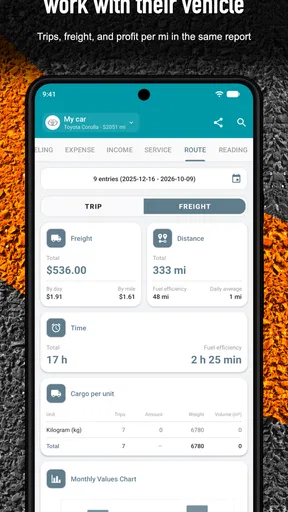
Drivvo provides a comprehensive set of features for managing your vehicle, including fuel consumption tracking, expense management, service reminders, and detailed reports on your vehicle's performance. It allows users to monitor multiple vehicles, making it ideal for personal use or small businesses. The app also includes a trip log, which is beneficial for tracking business-related travel expenses.
Can Drivvo handle multiple vehicles?
Yes, Drivvo is designed to manage multiple vehicles efficiently. Whether you have a personal car, a family fleet, or a small business with several vehicles, Drivvo enables you to track each one separately. You can input data related to fuel, expenses, services, and more for every vehicle, and the app will keep all this information organized for easy access and analysis.
Is Drivvo user-friendly for non-technical users?
Drivvo is designed with a user-friendly interface that caters to both technical and non-technical users. The app's intuitive layout makes it easy to input data and navigate through various features. Detailed instructions and tooltips guide users through the different functionalities, ensuring that even those new to vehicle management apps can effectively use Drivvo without any hassle.
Does Drivvo offer data backup and synchronization?
Yes, Drivvo offers data backup and synchronization options to ensure your information is secure and accessible across devices. Users can back up their data to the cloud, allowing for easy recovery in case of device loss or damage. The synchronization feature also ensures that your data is updated and available on multiple devices, providing flexibility and security.
Are there any costs associated with using Drivvo?
Drivvo offers a free version with essential features suitable for basic vehicle management needs. However, there is also a Pro version available for a fee, which unlocks advanced features such as ad-free usage, unlimited data entries, and more detailed reports. Users can choose between the free and paid versions based on their specific requirements.
